
MXF video file, mostly recorded by SONY, CANNON or Panasonic professional video camera, which is a "container" or "wrapper" format, for the playable MXF video file, it has header, body and footer sections. If something wrong happens when you are recording the MXF file, for example, device cash, accidentally interrupted or power failure, it will an RSV file or a corrupted MXF file, both are unplayable, because the RSV or[...Read More]

MOV video file, recorded by iPhone, iPad or Nikon camera, the video file will be corrupted if your device crash, accidentally interrupted or power failure during recording. MOV video file, recorded by dash cam, the video file will be damaged if any car accident happens. MOV video file, recorded by DJI drone, Yunee drone or other drone, the video file will be broken if drone crash, water, collision, power off[...Read More]
If you have corrupted MP4 video file caused by the following cases: Corrupted after accidentally interrupted during recordingBroken after powered off or battery deadCorrupted after drone crash, water, collisionDamaged after recovery from formatted or deleted SD/CF/memory cardCorrupted for other reason All these cases cause MP4 video file Unplayable due to it wasn’t finalized properly or wasn’t recovered properly. If you have corrupted MP4 video file recorded by hardware or software:[...Read More]
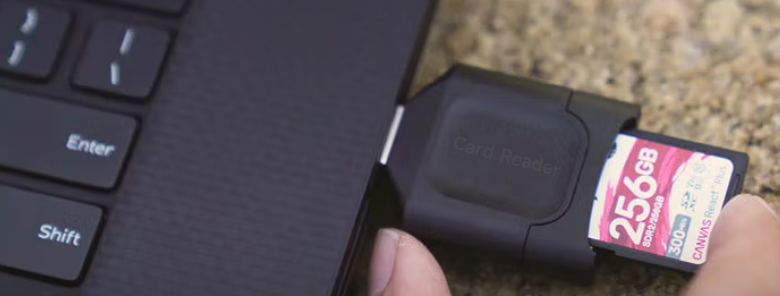
Insert your SD card into a card reader, then connect the card reader to your computer. 2. Download the tool: https://www.alexpage.de/usb-image-tool/download/. 3. Extract and Run USB Image Tool. 4. Select your SD card in the left-hand panel of the tool and then click on the Backup button. 5. Give a name to the image file, then choose Image files (*.img) from the drop-down menu. 6. Choose a location on your[...Read More]

1. Connect SD card to computer with card reader. 2. Add Disk Utility to Full Disk Access Go to System Preferences > Security & Privacy > Privacy tab > Full Disk Access > Click on the lock at the bottom left of the screen, enter your password, then press the + button near the centre of the screen. Search and Add Disk Utility to the list. 3. GO > Utilities[...Read More]

High Definition is used for video recording, that make if file is large, from hundrreds MB to GB, you need to send it to me by cloud storage and file-sharing. There are a lot of clould storage service for us to use, and for free. for example: Google Drive, Dropbox, Microsoft OneDrive, Wetransfer, pCloud transfer, etc.. There are userfriendly.